
We've added a new filter in out movers app, that will allow you to look at stocks that are in the breakout formation. We will have two ways to look at breakout stocks;
Breakout - positive
Where stocks price moving above its 20-Days simple moving averages
Breakout - negative
Where stocks price moving below its 20-Days simple moving averages
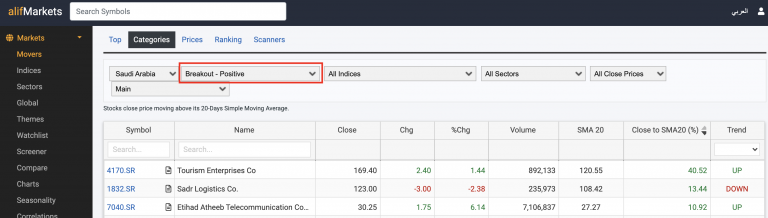
In addition, we also display a column with values for % Change from Close price to 20-Day simple moving averages.
To access: Click on Markets > Movers > Categories, and then select from the drop down for either 'Breakout - positive or Breakout - Negative option'
