
We've added a new view to all our data tables called 'Open to Previous Day' which will provide the following columns:
Open price to previous high price (%)
Open price to previous low price (%)
Open price to previous close price (%)
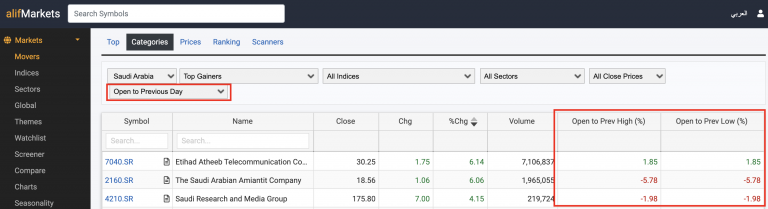
This update is available on all data tables.
This will allow you to view if the stocks are opening higher or lower than the previous day and more.
To access: Click on Markets > Movers > Click on drop down 'Main' and then select 'Open to Previous Day'
